useImperativeHandle & forwardRef
Understanding useImperativeHandle in React 19
React normally uses props to pass data and callbacks to report interactions. Sometimes a parent needs to perform an action such as focusing an input, selecting text, or scrolling to a section.
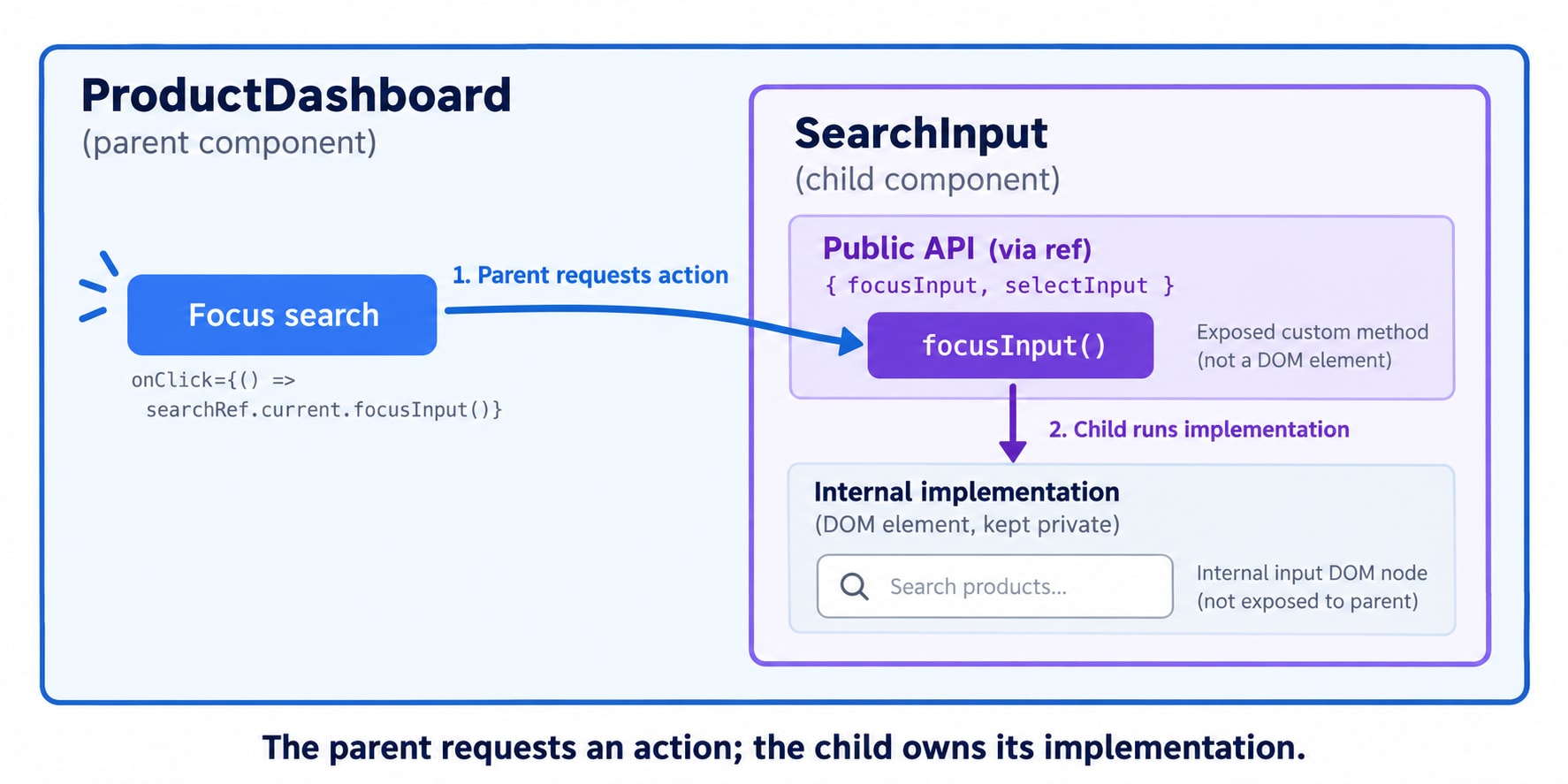
Imagine a product dashboard with a search field inside a reusable SearchInput. A button in the parent says “Focus search.” The parent needs to activate that field, while the child owns the input and its markup. A small public method gives them a clear way to cooperate.
useImperativeHandle lets a child customize the value exposed through its ref. That value is called a handle. Usually, it is an object containing a few methods.
The parent requests an action. The child decides how to perform it.
React 19: receive ref directly
Starting with React 19, function components can receive ref as a prop:
function SearchInput({ ref, placeholder }) {
  // Use the received ref here.
}
Legacy React 18 and earlier used forwardRef((props, ref) => ...) to receive the parent's ref. You do not need that wrapper for this React 19 example.
Receiving a ref does not automatically expose the child's DOM. The child must use it, either on a DOM element or through useImperativeHandle.
Complete example
import { useImperativeHandle, useRef } from "react";

function SearchInput({ ref }) {
  const inputRef = useRef(null);

  useImperativeHandle(ref, () => ({
    focusInput() {
      inputRef.current?.focus();
    },
    selectInput() {
      inputRef.current?.select();
    },
  }), []);

  return (
    <label>
      Search products
      <input ref={inputRef} type="text" placeholder="Enter a product name" />
    </label>
  );
}

export default function App() {
  const searchRef = useRef(null);

  return (
    <>
      <SearchInput ref={searchRef} />
      <button type="button" => searchRef.current?.focusInput()}>
        Focus search
      </button>
      <button type="button" => searchRef.current?.selectInput()}>
        Select text
      </button>
    </>
  );
}
The parent calls an exposed method. The child implements it using its internal DOM ref. The hook creates the handle; it does not focus the input merely because the component renders.
Why two refs?
Ref | Owned by | What |
|---|---|---|
| Parent | The custom object containing |
| Child | The actual input DOM element |
The child's ref prop receives the parent's searchRef object; it is not a third ref created by the child.
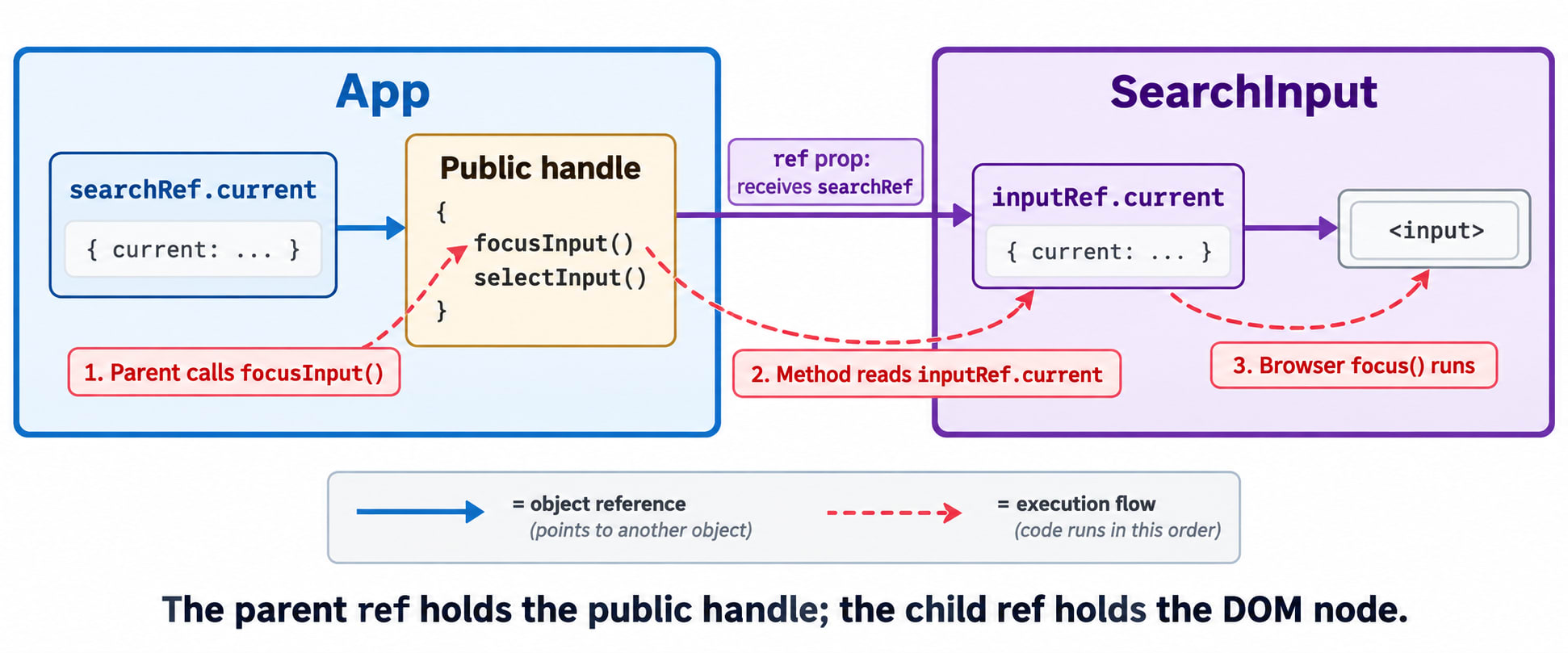
When the button is clicked:
The parent calls
searchRef.current.focusInput().The exposed method reads the child's
inputRef.current.It calls the browser's
focus()method.The browser focuses the input.
The parent depends on the public method name. The child can change its internal markup while preserving that API.
Two refs are common when hiding a DOM element, but not required by the hook. A handle can expose actions implemented with state setters instead.
Direct DOM exposure versus a custom handle
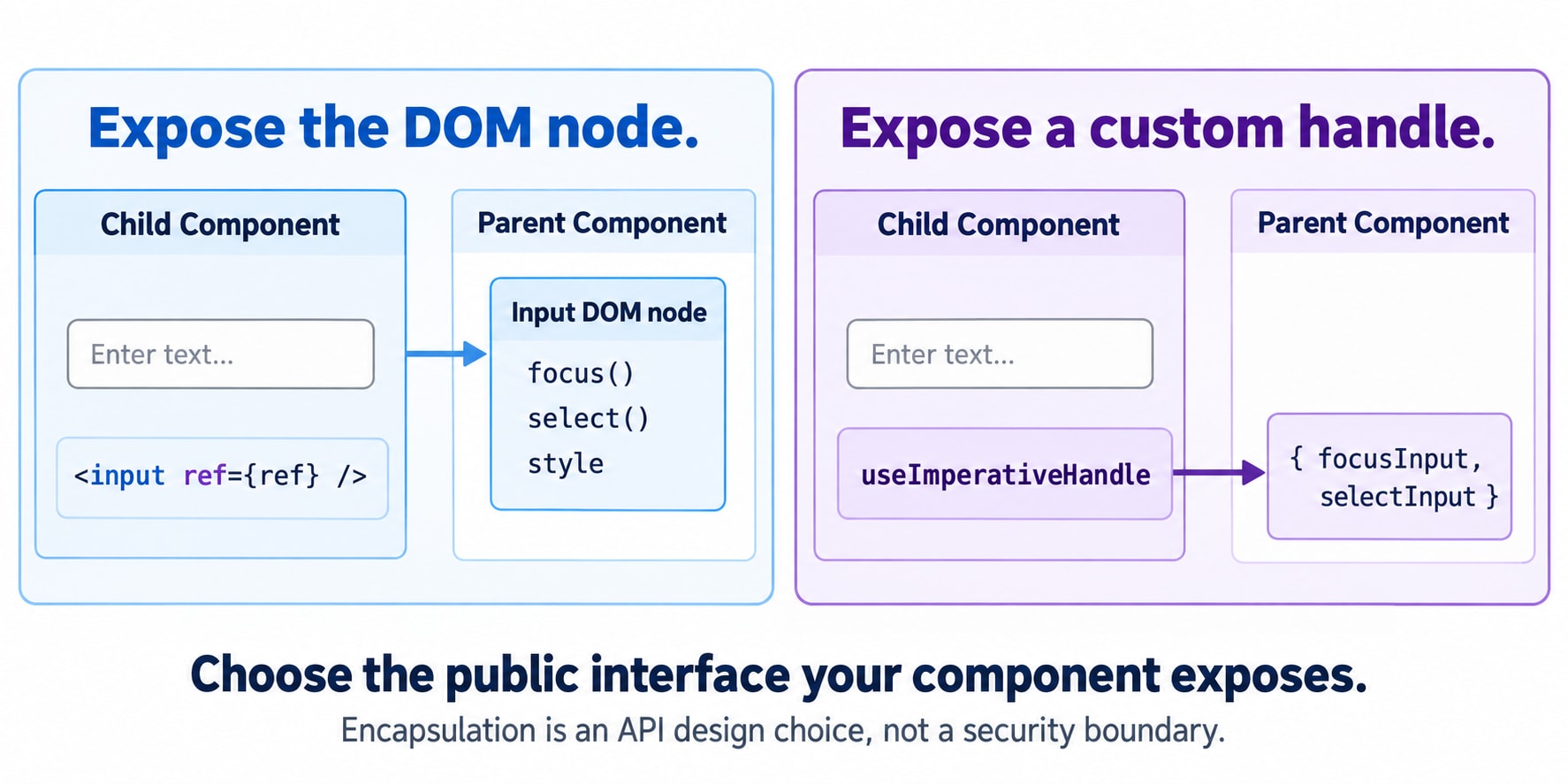
Without a custom handle, a child can expose its DOM node:
function SearchInput({ ref }) {
  return <input ref={ref} />;
}
The parent can then call searchRef.current?.focus(), but it also receives the rest of the DOM API. With the custom handle, it receives only the methods you expose. This is an API design boundary, not a security boundary.
Syntax and dependencies
useImperativeHandle(ref, createHandle, dependencies);Argument | Purpose |
|---|---|
| The received ref to which React exposes the handle |
| A function returning the public handle |
| Reactive values used when creating the handle and its methods |
The hook returns undefined; the parent accesses the handle through its ref.
An omitted dependency list recreates the handle on each render. With a list, React compares dependencies using Object.is and recreates the handle when they change. An empty list is appropriate in the focus example because its methods use only the stable internal ref object. They read .current when called.
If an exposed method uses a prop, include it:
function ResetButton({ ref, onReset }) {
  useImperativeHandle(ref, () => ({
    reset() {
      onReset();
    },
  }), [onReset]);

  return <button type="button"
}
Using [] here could retain an old onReset. The same principle applies to state and other reactive values. Do not use an empty list simply to keep the handle stable.
Think of each exposed method as a function that remembers values from the render that created it. The dependency list tells React when that public handle needs refreshing.
Props or an imperative handle?
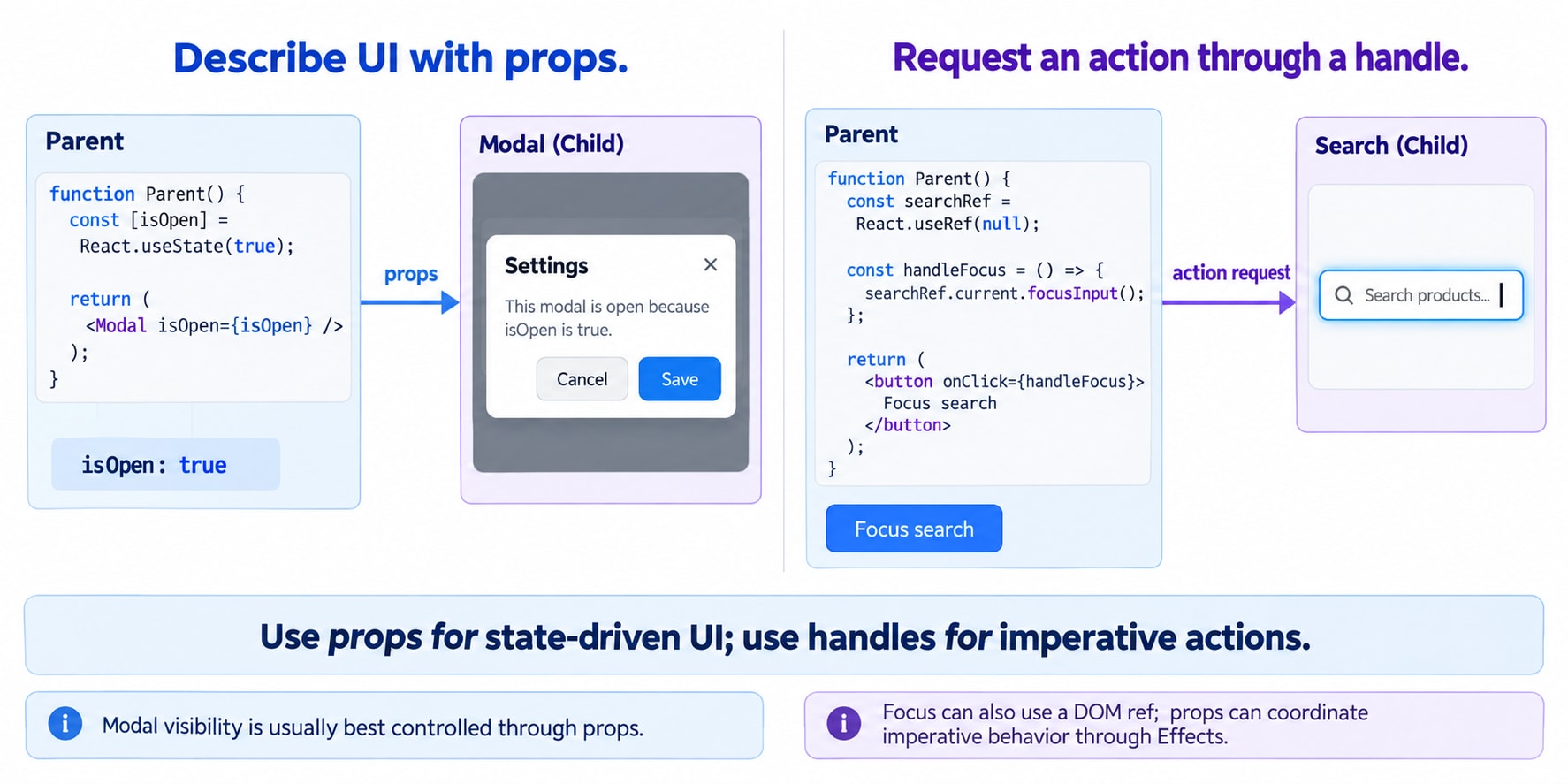
Props describe what the UI should be. Imperative methods request a particular action.
Requirement | Usual choice |
|---|---|
Input value |
|
Modal visibility |
|
Selected product | Props/state |
Focus or select text | A DOM ref or custom handle |
Scroll to an internal section | A custom handle when encapsulation helps |
Trigger an animation or external widget action | A handle when props do not naturally express the request |
For a modal, prefer <Modal isOpen={isOpen} /> over exposing open() and close() as the default design. An action being possible through a ref does not make it the best interface.
Refs, state, and timing
Changing .current does not trigger a render. A method exposed through a handle can call a state setter, which requests an update normally. The hook does not replace state.
Call these methods from event handlers or appropriate Effects, not during rendering. Refs are initially null and may be unavailable after unmounting or when a child is conditionally absent. Optional chaining avoids calling a method when the handle is missing; it does not queue the action for later.
For controlled inputs, clear or reset through the state setter or owner callback. Directly assigning inputRef.current.value = "" does not update React's controlling state.
Interview takeaway
useRef creates a persistent ref object. React 19 allows a function component to receive ref as a prop. useImperativeHandle defines the public handle exposed through that ref.
One-line definition: useImperativeHandle lets a component customize the methods or values exposed through its ref, so a parent can request imperative actions through a small public API.
For the dashboard example, remember three responsibilities: the parent requests focus, the child implements focus, and the browser performs focus.